Make the plan concrete
Research on implementation intentions suggests that specifying when, where, and how to act can help turn goals into action.
Gollwitzer & Sheeran · source ↗AI planning, grounded in your real day
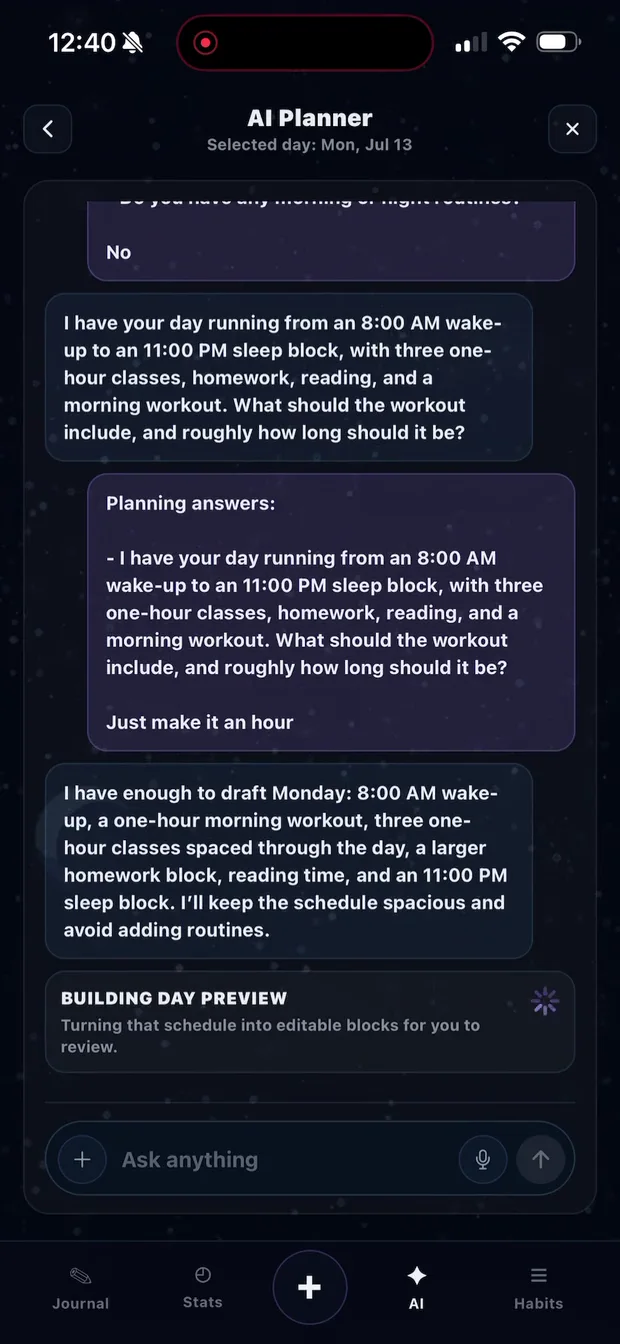
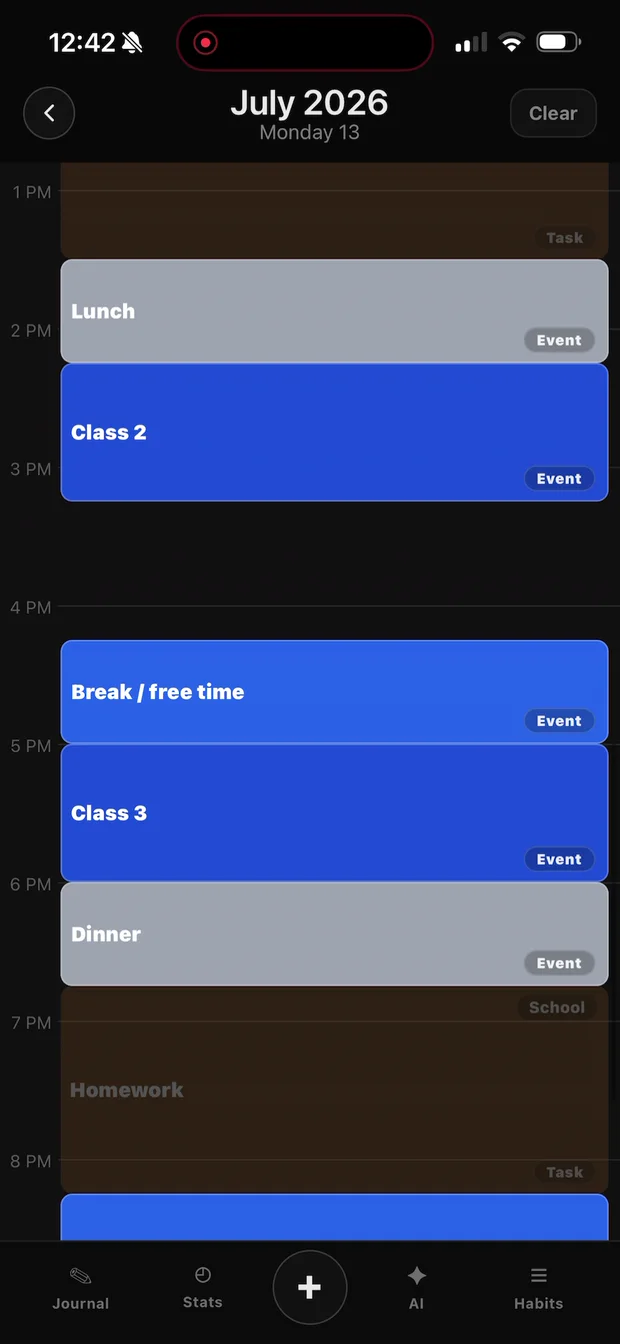
Strata asks the missing questions, builds an editable schedule, and keeps planned time beside the time you actually spend.
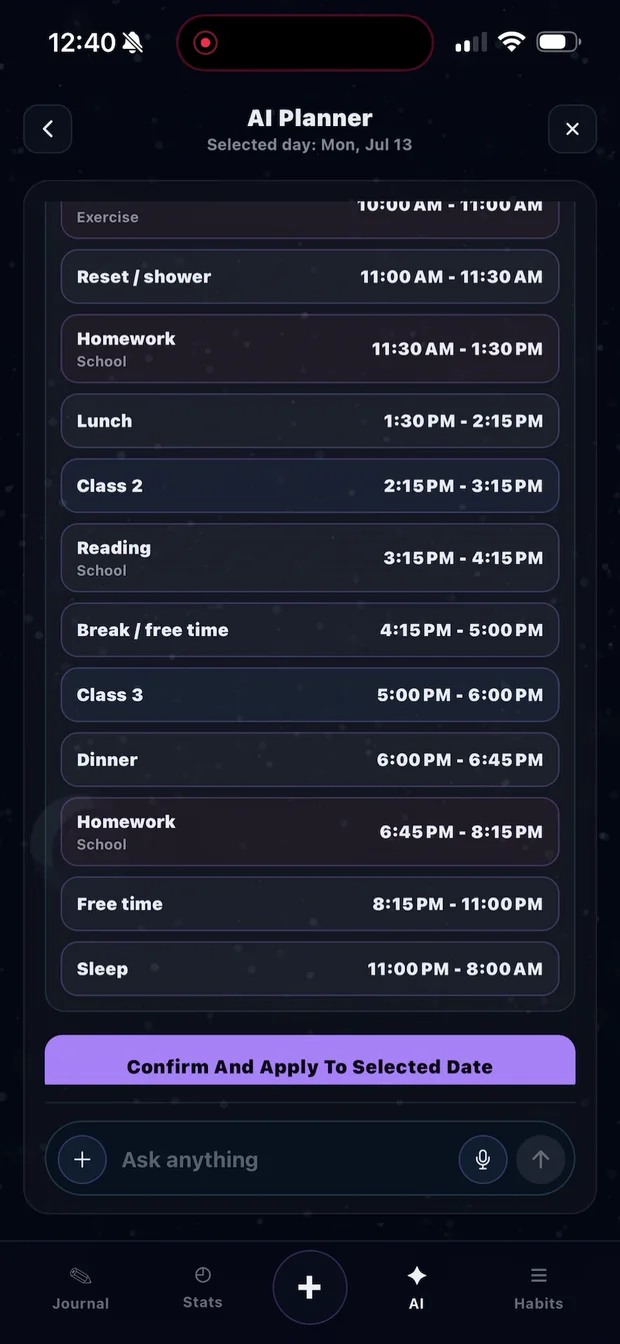
A planner that asks before it assumes
Tell Strata what must happen and what can move. The AI fills only the gaps it needs, then shows the complete schedule before changing your calendar.
The plan meets the clock
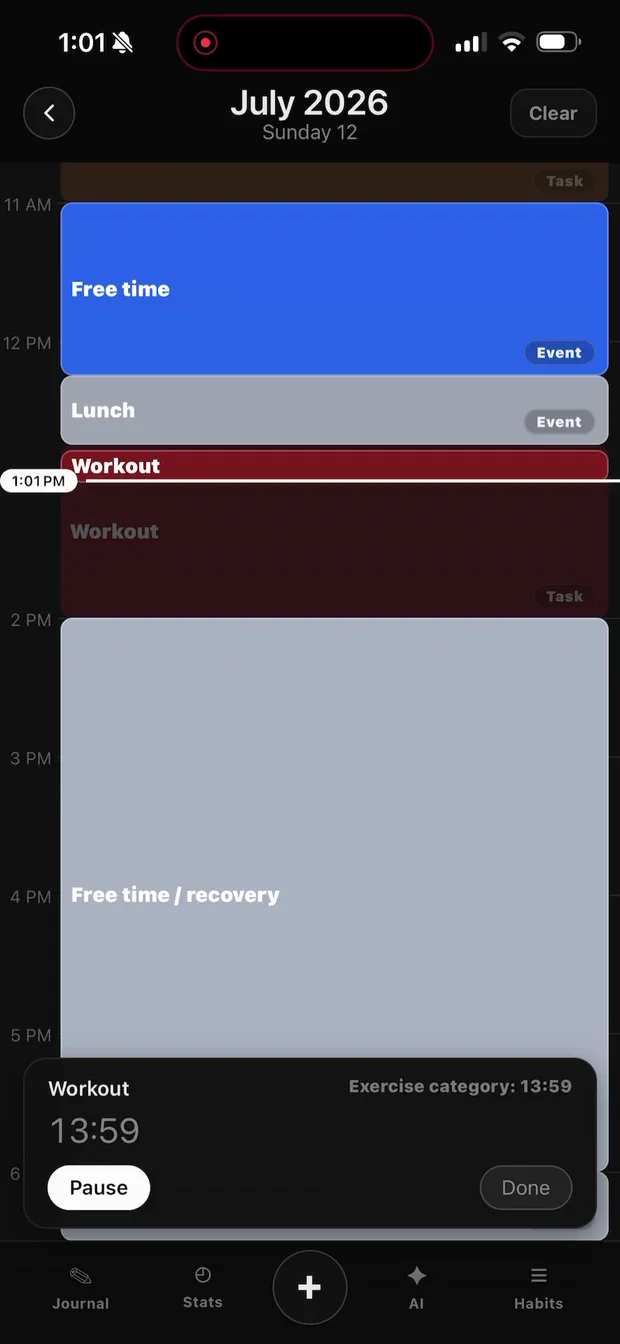
Start timing from the day view, keep the current task visible, and carry the actual duration into Strata's statistics. The next plan can be based on what work really took—not your best-case guess.
Start from the scheduleThe task and its category stay attached to the session.
Keep focus visiblePause or resume without losing the context of the day.
Compare planned and actualSee the gap in your statistics and estimate the next block with more context.
One 2025 randomized study found no clear overall productivity winner among Pomodoro, Flowtime, and self-regulated breaks—supporting a timer that adapts to the work instead of forcing one interval. Read the study ↗
A continuous real timer run, accelerated 10×. Watch the Workout pass its planned time, change to completed, and keep counting.
Research-informed, without inflated claims
These findings inform Strata's design principles. They are not claims that Strata itself guarantees a particular productivity increase.
Research on implementation intentions suggests that specifying when, where, and how to act can help turn goals into action.
Gollwitzer & Sheeran · source ↗People often underestimate how long their own tasks will take. Keeping planned and actual time together gives the next estimate better context.
Buehler, Griffin & Ross · source ↗Experiments on attention residue found that switching away from unfinished work can impair performance on the next task.
Leroy · source ↗Your history becomes useful
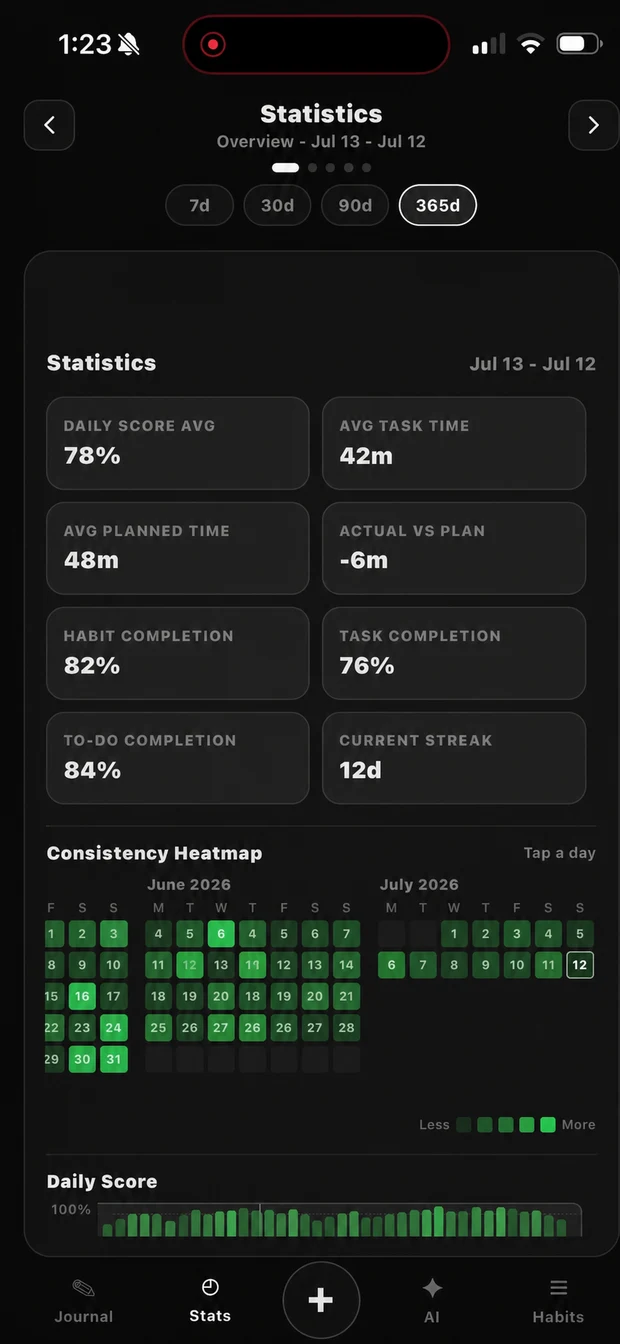
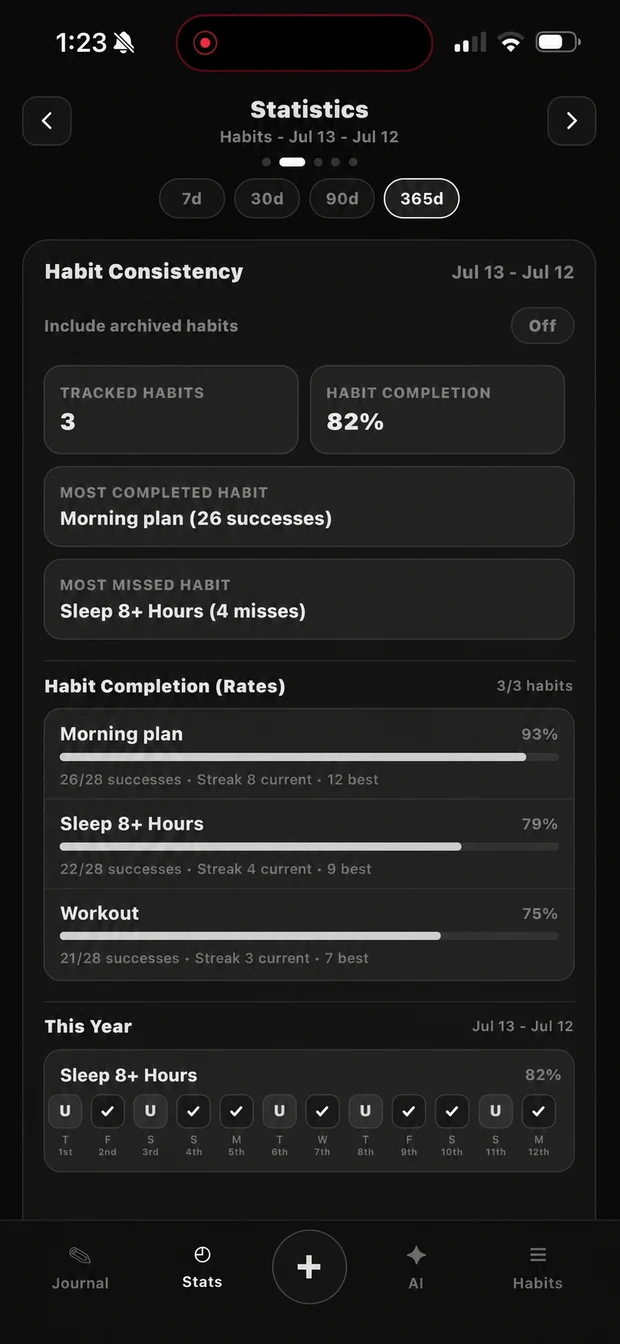
Strata brings actual task time, planned time, completion, habits, streaks, and consistency into one statistics view. These real Strata screens use synthetic demo history so the patterns are easy to understand at a glance.
Simulated demo data in real Strata screens
AI analysis closes the loop
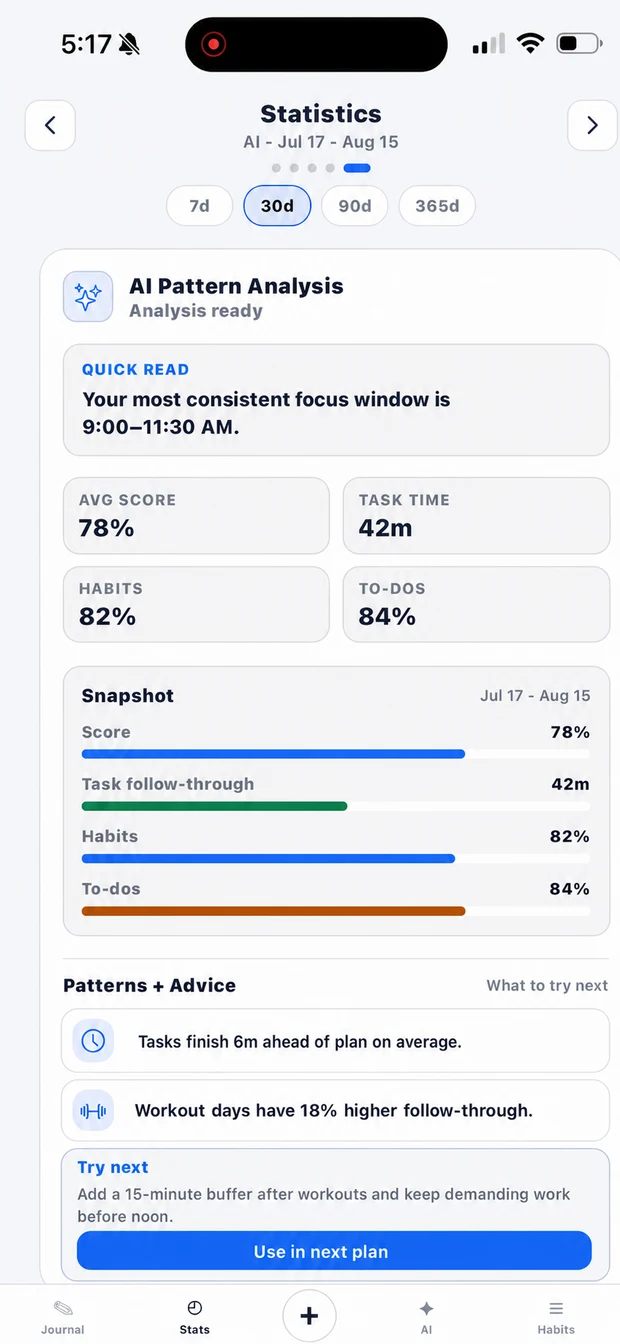
Strata's AI Pattern Analysis reads recent scores, task time, habits, and to-dos, then surfaces a quick read and one concrete adjustment. The screen shown uses synthetic demo history.
Shared progress, on your terms
Add friends, choose exactly what each person can see, and turn encouragement into action. A friend can see your current focus, statistics, schedule, or habits only when you give them permission.
Permission-first accountability
Share the parts of your day that help—not your entire life. Friends can send a preset message such as “Lock in,” “Nice work,” or “You got this,” and Strata delivers it as a real notification.

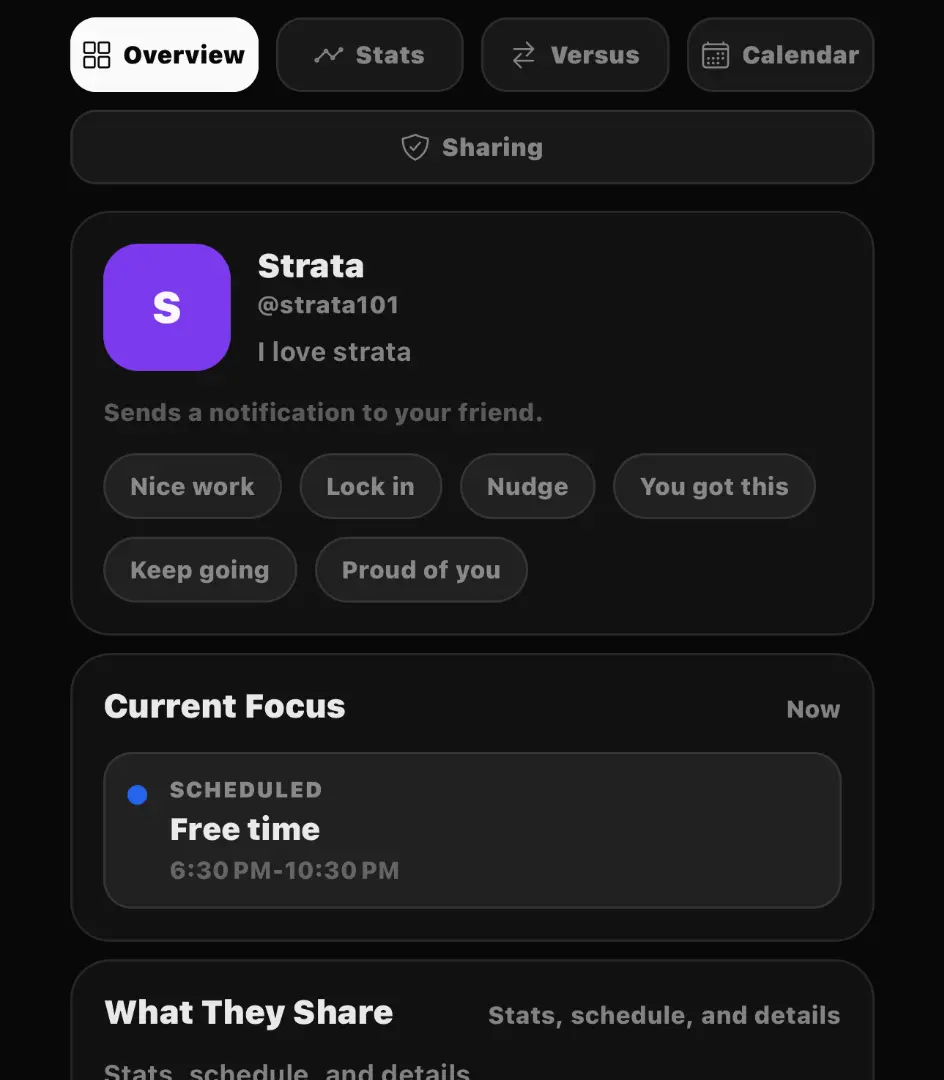
Progress together
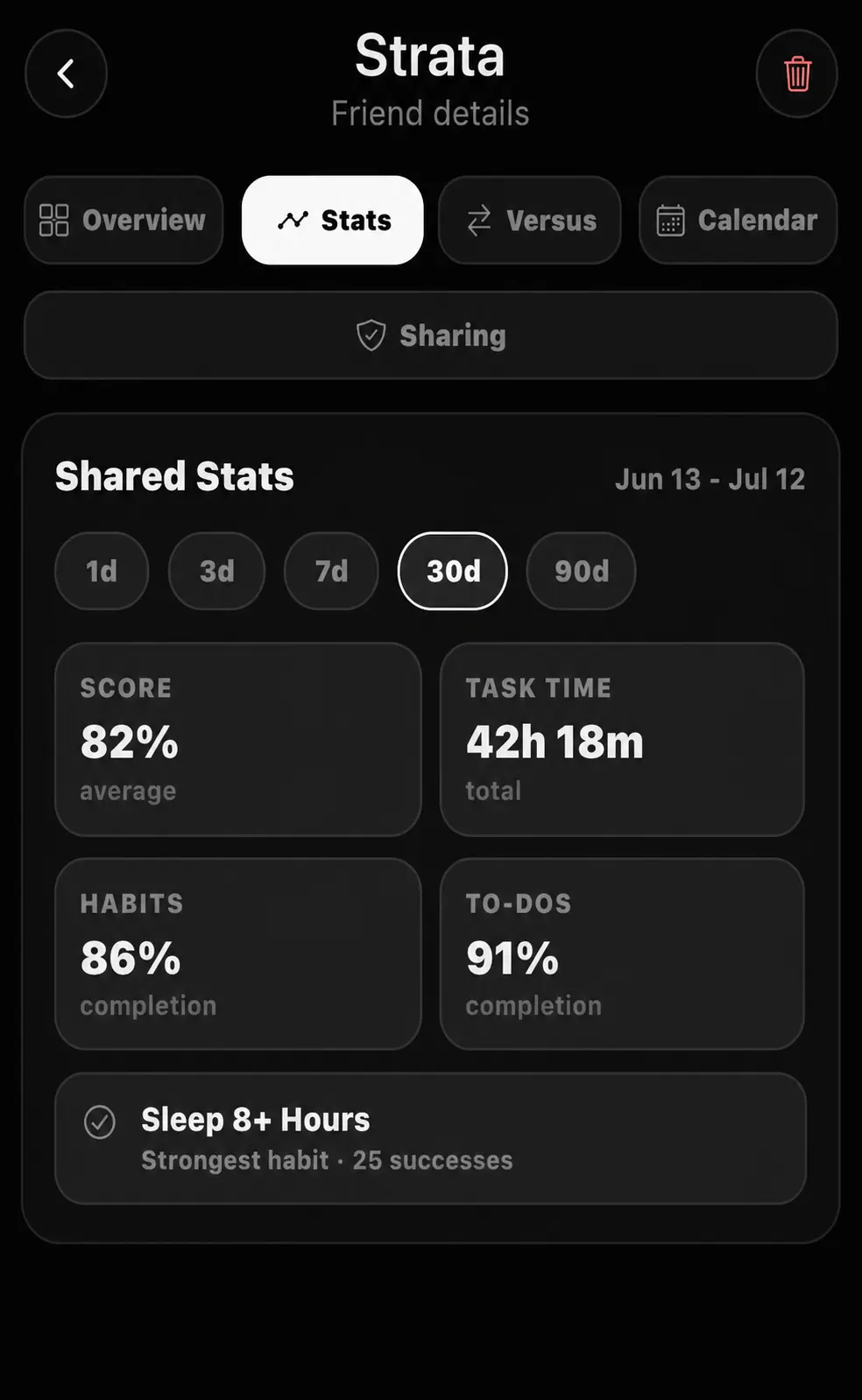
Illustrative demo data in real Strata UI
Review the score, focus time, habits, and to-dos a friend has chosen to share.
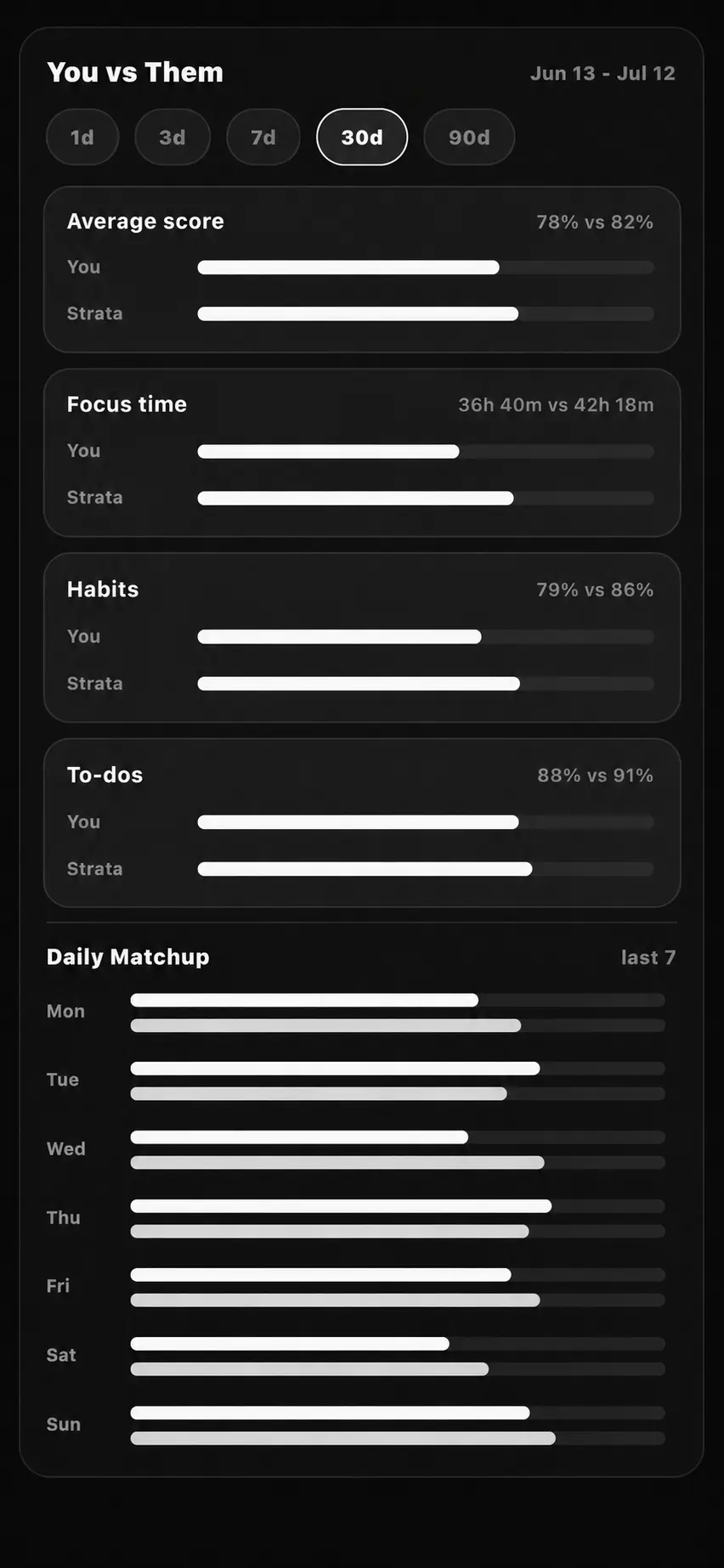
Put the same periods side by side and use the difference as context—not judgment.
Four ways to make the space yours
Choose the interface that makes it easiest to settle into the day. Every preview below is a real iPhone capture from Strata.
Swipe to explore all four
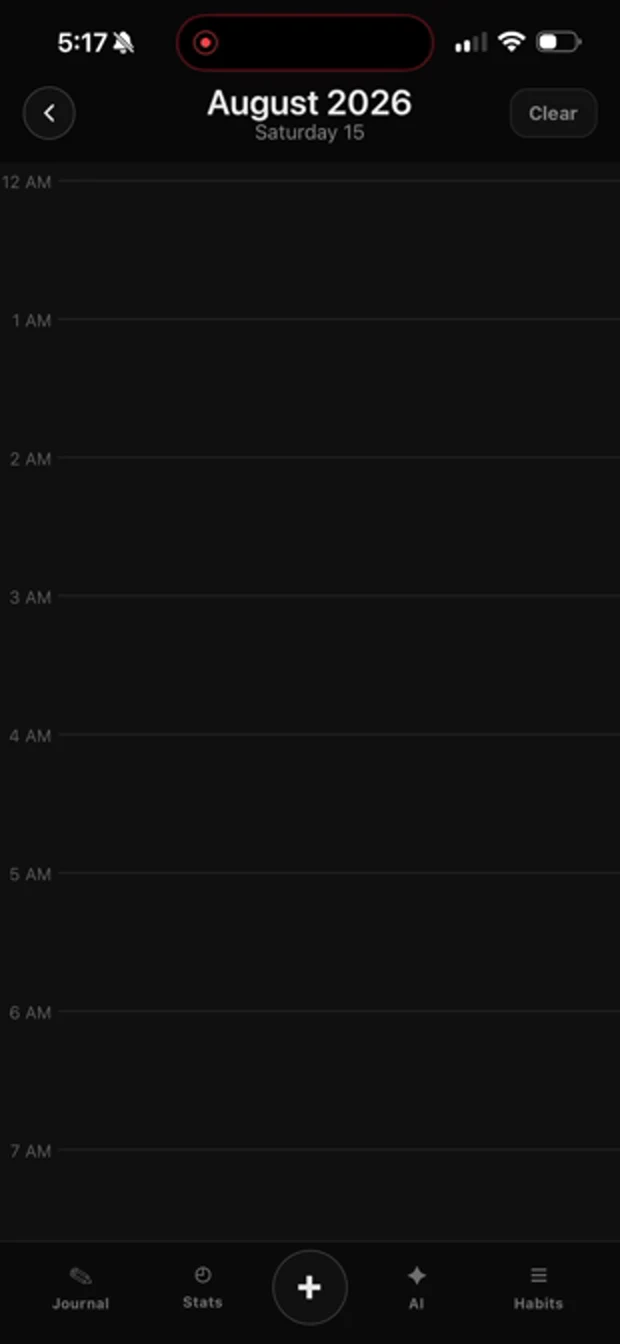
Graphite-black surfaces with quiet, high-contrast planning.
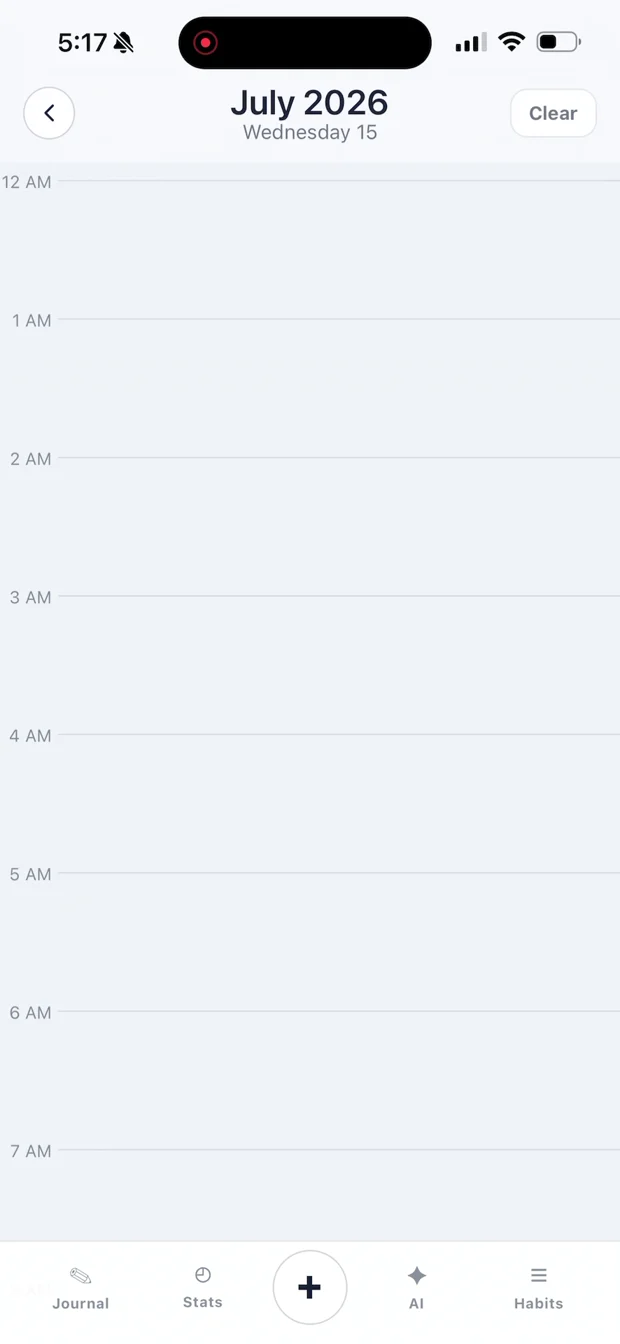
Soft white surfaces with crisp blue focus accents.
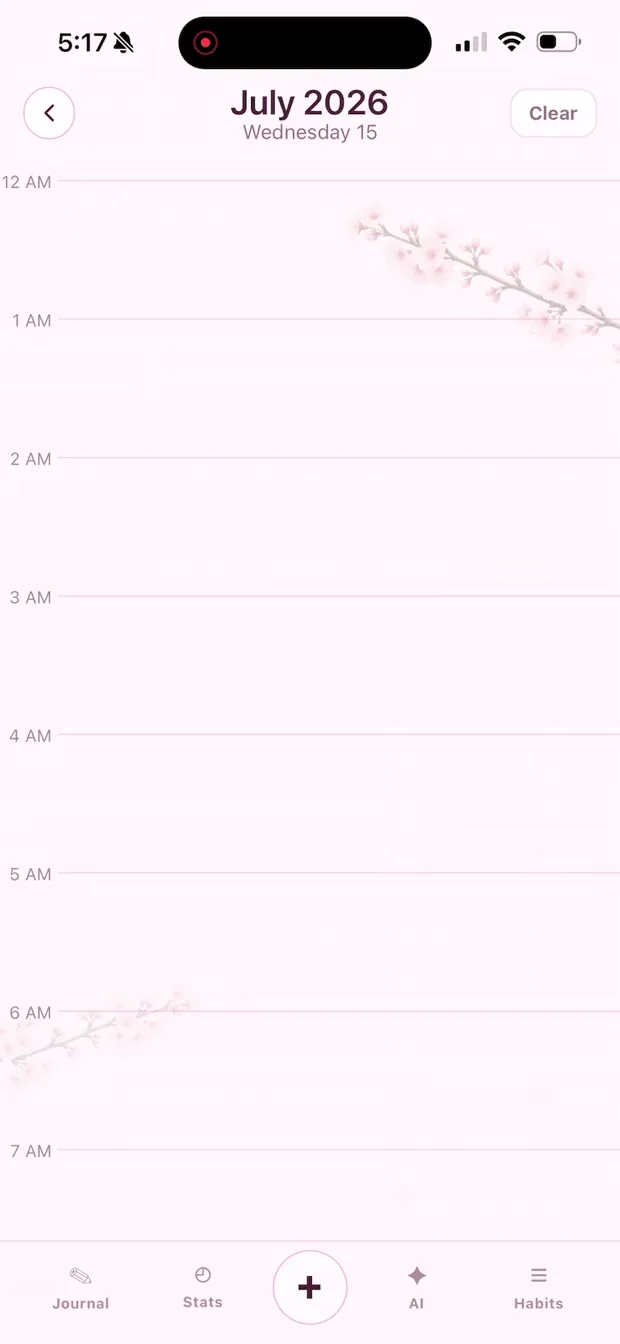
Warm pinks, soft contrast, and subtle petal details.
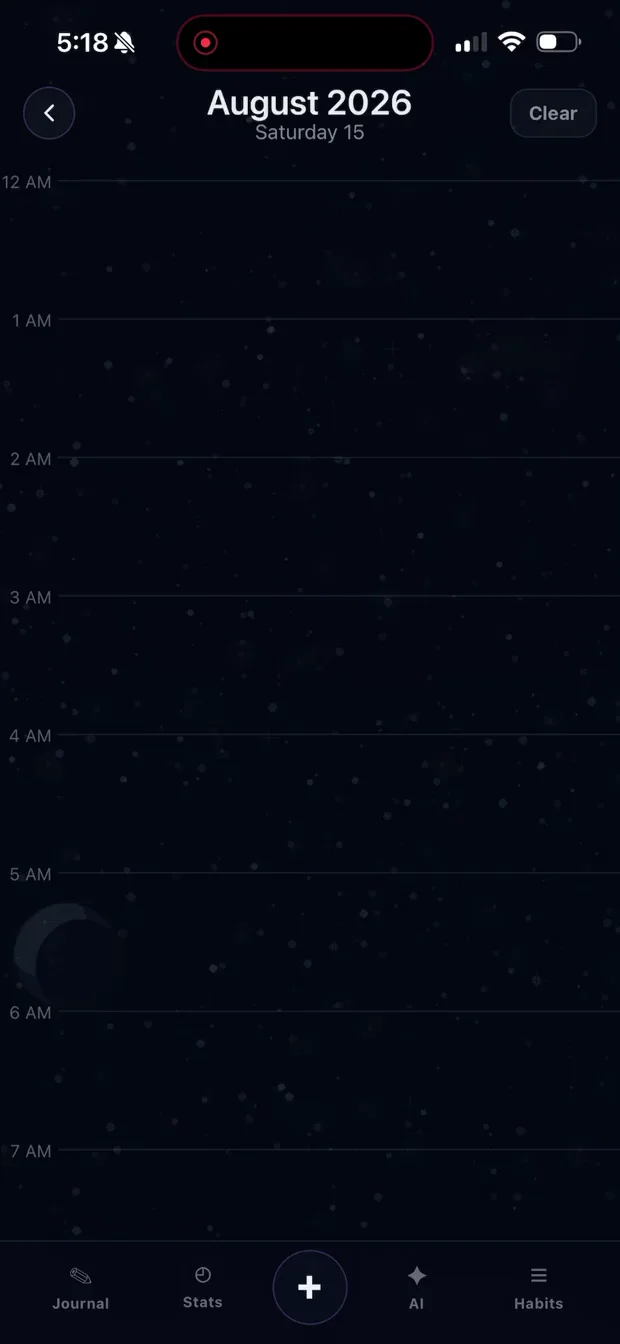
Deep navy with violet, cyan, and celestial texture.
Clear answers before you download
Here is what the current Strata build does, what information its AI can use, and the controls you have over future AI processing.
Yes. Strata is currently free and available for iPhone. Android and web apps are not currently offered.
Only information used to complete an AI feature you choose to use. Depending on the request, this can include what you type or say, photos you attach, your schedule blocks and to-dos, categories, habits, journal text, recent statistics, conversation history, saved planning preferences, and relevant recent plans. Strata does not automatically include Friends profiles or shared Friends activity in AI requests. Imported iPhone Calendar events remain read-only.
Strata does not train a Strata model on your schedule. Planner and analysis requests ask OpenAI not to store API responses as application state. OpenAI states that API data is not used to train its models by default unless the API account explicitly opts in, though limited request and response data may be retained for abuse monitoring for up to 30 days. Read OpenAI's data controls ↗
Creating a new account requires you to select an initially unchecked acknowledgement: Allow Strata to send information needed for AI features to OpenAI. Strata records the provider, policy version, and acceptance time. Accounts created before this requirement must grant permission before their next AI request. You can revoke permission in Settings at any time; future AI requests stay blocked until you grant permission again, while non-AI planning and tracking keep working. Privacy-limited PostHog retention analytics is separate, optional, and off by default.
If you choose Report Chat, Strata shows a confirmation before sending the visible chat and recent bounded planner diagnostics to Support. Diagnostics can include request context, model and app versions, structured plan stages, validation results, timing, and safe error details—not private hidden AI reasoning, credentials, or attached image and audio contents. Private diagnostic and report records expire after about 72 hours, subject to asynchronous deletion; a smaller sanitized support record can be retained longer for investigation and response.
You can permanently delete your Strata account from Settings. Full deletion automatically includes linked feedback-board identity, requests, comments, votes, and reports; if a temporary provider failure prevents immediate completion, Strata records the job and retries it in the background. The website's board-only deletion control remains optional. Strata does not currently provide a one-tap self-service export; depending on your location, you can request access to or export of your information through Support.
After verification, Strata creates a Friends identity automatically. When safe and usable, the first word of your Firebase Authentication display name becomes the initial display name and username base, with a short uniqueness suffix added only if needed; otherwise Strata uses neutral random defaults. The identity is never derived from your email, and a customized Friends profile is preserved. There is no public profile directory: someone needs your exact username or friend code to send a request, and productivity details stay private until you accept and choose what to share. Provider-derived defaults and profile edits are checked for high-confidence targeted slurs; general profanity is not automatically blocked. You can privately report a profile or block another user. Blocking removes the connection and pending requests in both directions and prevents discovery, profile and shared-data access, requests, accepts, and nudges until you unblock; unblocking does not restore the friendship.
Apple Calendar shows what is already booked, while a to-do app lists what needs doing. Strata connects the two: it turns rough plans into an editable timeline, plans around read-only iPhone Calendar commitments, times the work you actually perform, compares planned time with reality, and uses that history to improve the next plan.
Help shape what comes next
Post anonymously, vote on requests, and follow the roadmap. The developer actively reads and responds to feedback.
Build the next day with context
AI planning, focused timing, and honest feedback on how the day actually went—together in Strata. Currently free on iPhone.
Download on the App Store↗The live App Store link will be connected when you provide the listing URL.